belt.ran
betaGive your AI agents your databases — not your passwords.
A native, lightweight database client (a 10–15 MB download on macOS and Windows) that is also a secure MCP server: Claude Code, Codex and other agents query the connections you already saved — the password stays in the Keychain, production is read-only and risky writes wait for your approval.
Download
Verify your download (SHA-256)
Every release publishes a SHA256SUMS.txt file. Compare the hash of the file you downloaded with its line in that file. It matters most on Windows and Linux, where the installers are not code-signed.
# macOS / Linux
shasum -a 256 belt.ran-macos.dmg
sha256sum belt.ran-linux.AppImage
# Windows (PowerShell)
Get-FileHash .\belt.ran-windows-setup.exe -Algorithm SHA256
Why belt.ran
Your databases, safe for AI agents
Stop pasting credentials into chats or spinning up throwaway containers just so an agent can read a database. belt.ran becomes the MCP server for your Claude Code, Codex or Cursor — using the connections you already have.
- The password never leaves the Keychain — the agent never sees a credential.
- Agents see Gates, never your connections — each Gate has its own database user (belt.ran can create it for you, read-only unless you allow writes), its own databases and its own rules.
- Production is read-only — on Postgres, MySQL, SQLite and ClickHouse the database itself enforces it (the session opens read-only); on the other engines, a per-command guard.
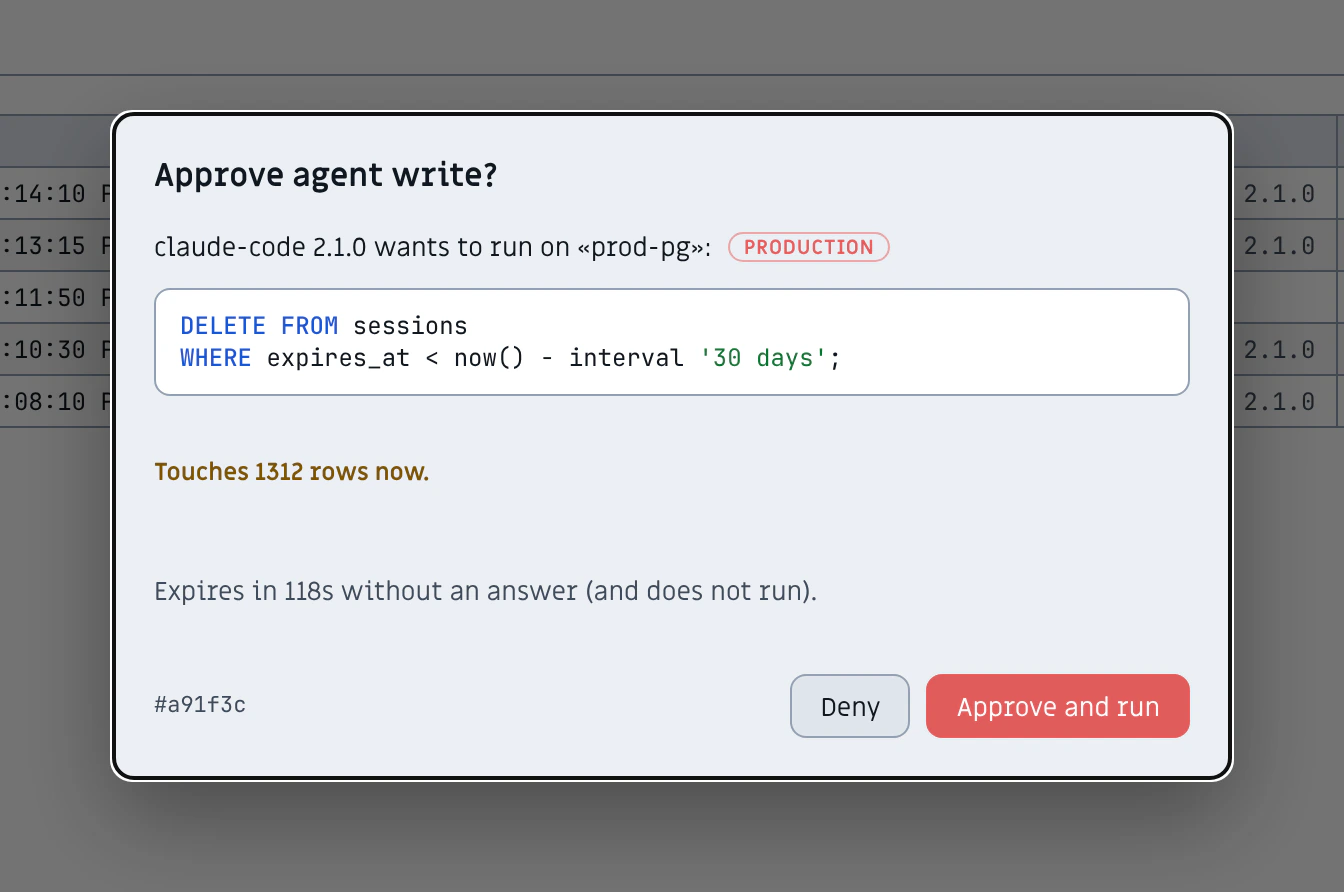
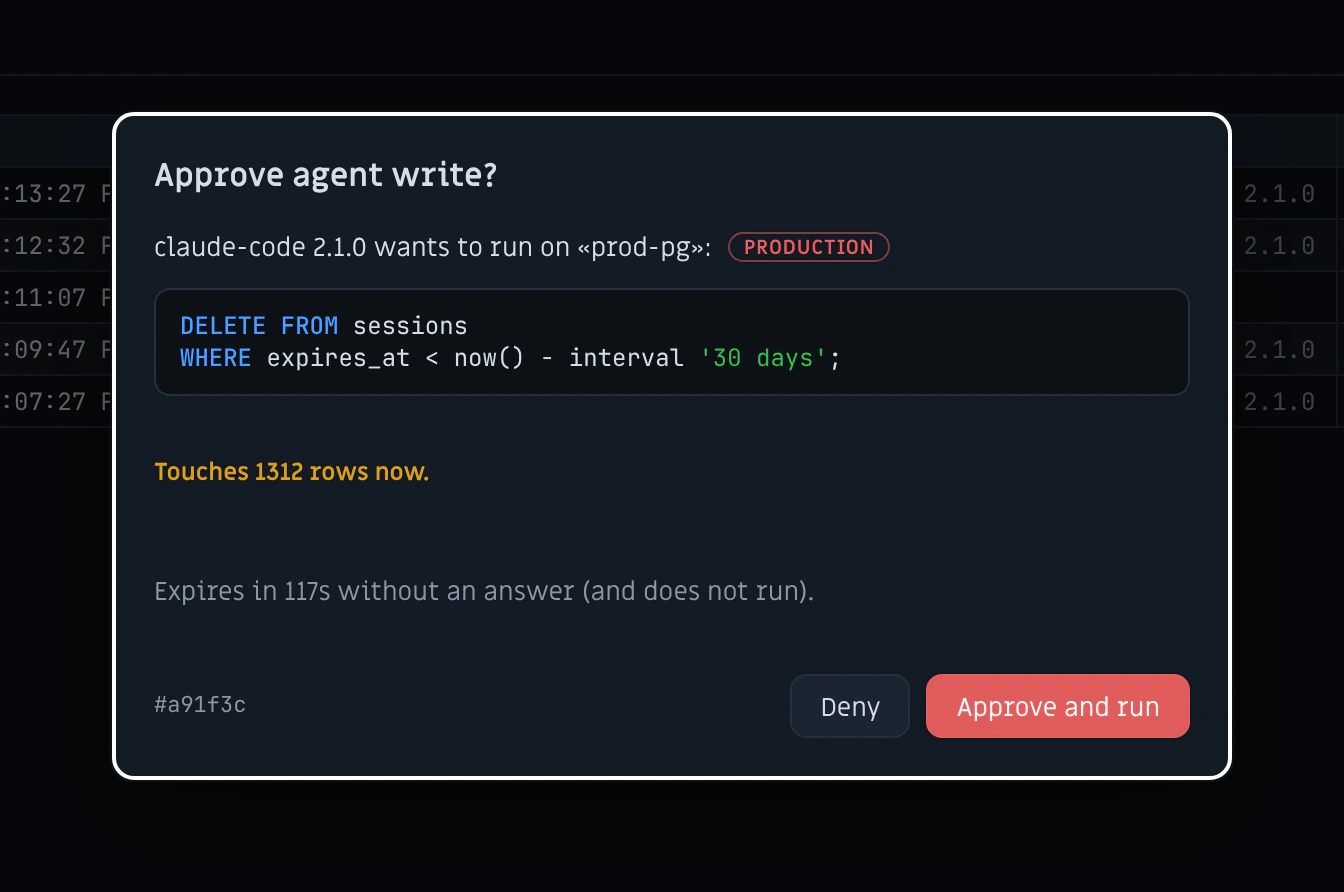
- Writes wait for your approval — you see the exact SQL, how many rows it touches and the before → after, then approve or deny; no answer within two minutes means it does not run. Approvals are signed, so another program cannot approve on your behalf.
- Sensitive data is masked — by column and by value: emails, SSNs, card numbers, phones, JWTs and API keys reach the agent masked; your own grid still shows everything.
- Data can’t take over the agent — invisible characters are stripped, oversized cells are cut and cells that read like instructions to an AI are flagged to the agent and to you.
- Cancel really cancels — every call has a time limit, and stopping the agent kills the query on the server (Postgres, MySQL, SQL Server, ClickHouse, Mongo…); on the rest it aborts the in-flight request.
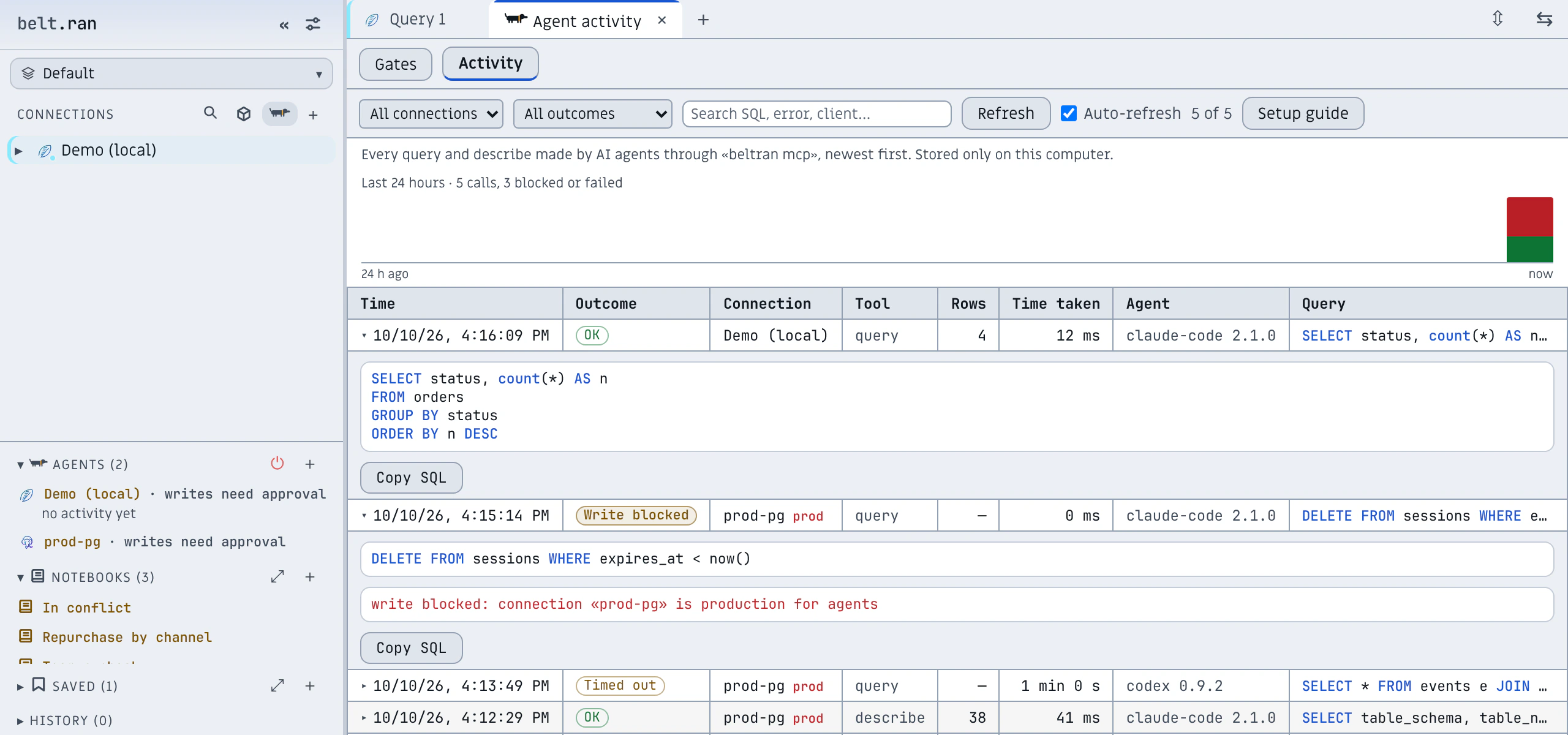
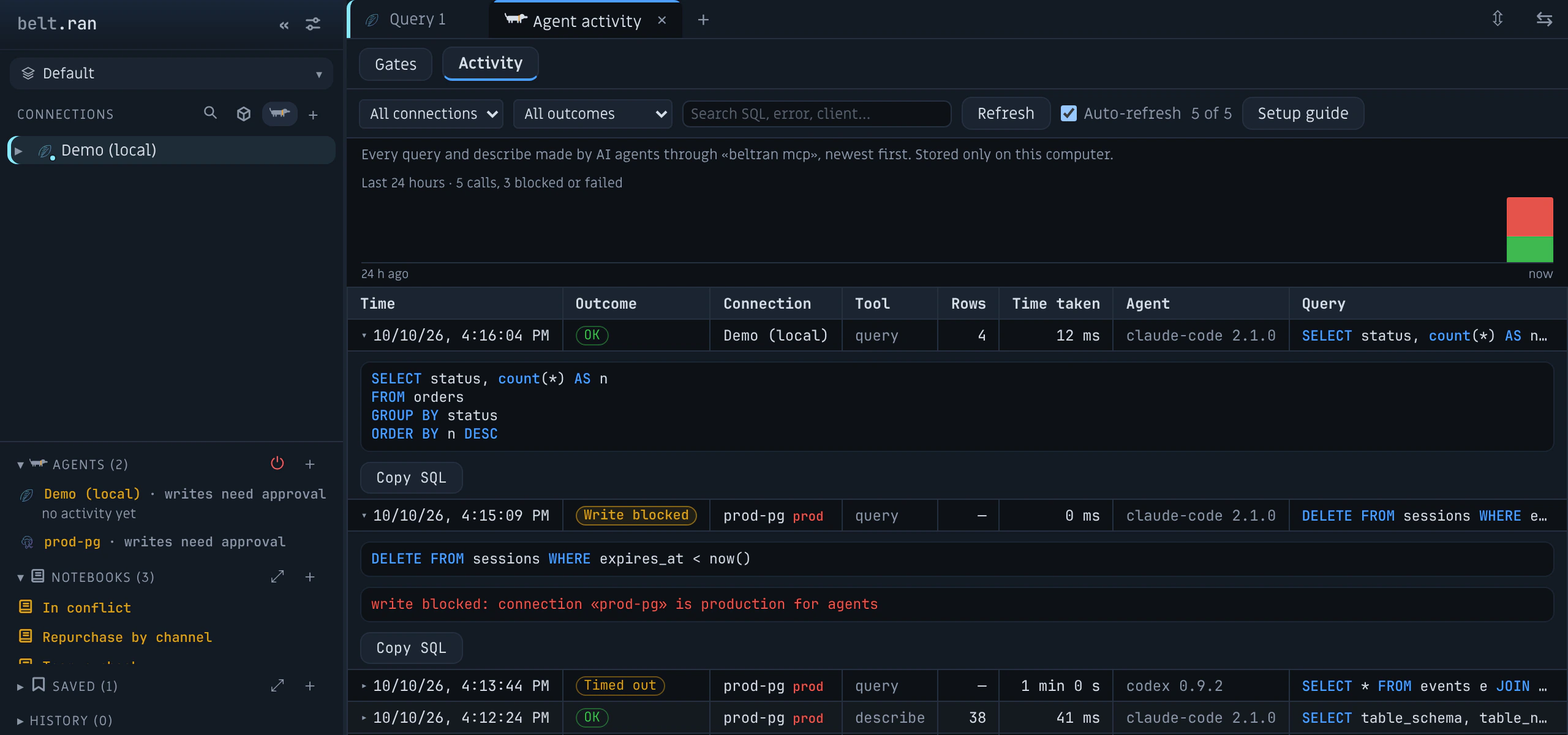
- Everything audited — every agent call is logged in the “Agent activity” tab.
$ claude mcp add --scope user beltran -- beltran mcp
Installed from the .dmg? Replace beltran with the full path: /Applications/belt.ran.app/Contents/MacOS/beltran (on Linux: /usr/bin/beltran for the .deb/.rpm, or the full path of the .AppImage). Or skip the terminal: connect Claude Code, Claude Desktop, Cursor or Codex with one click in belt.ran. On first run, a 3-step guide and a built-in Demo database get an agent querying in a minute.
Approve before it writes.
When an agent wants to change data, belt.ran stops and shows you the exact statement — with the connection, the environment and a countdown. Approve and it runs; deny, or ignore it, and it never does.
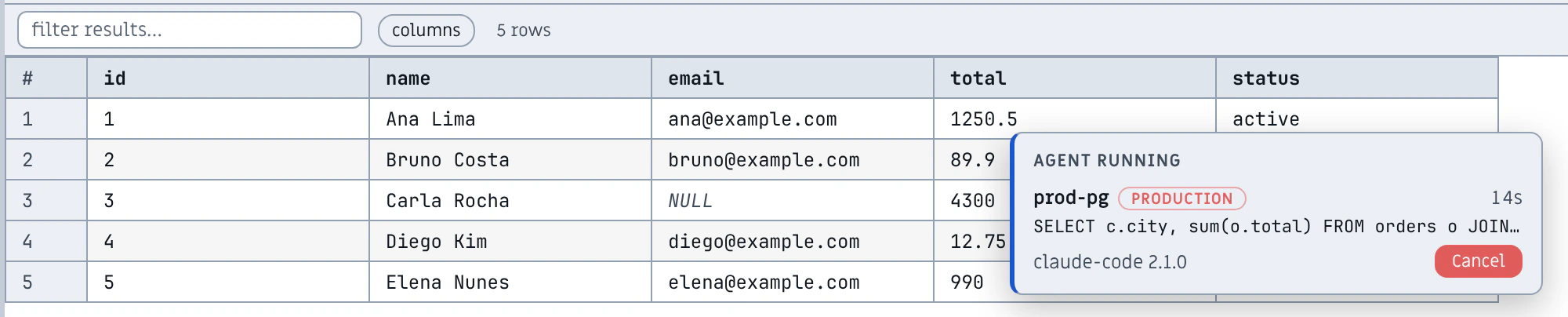
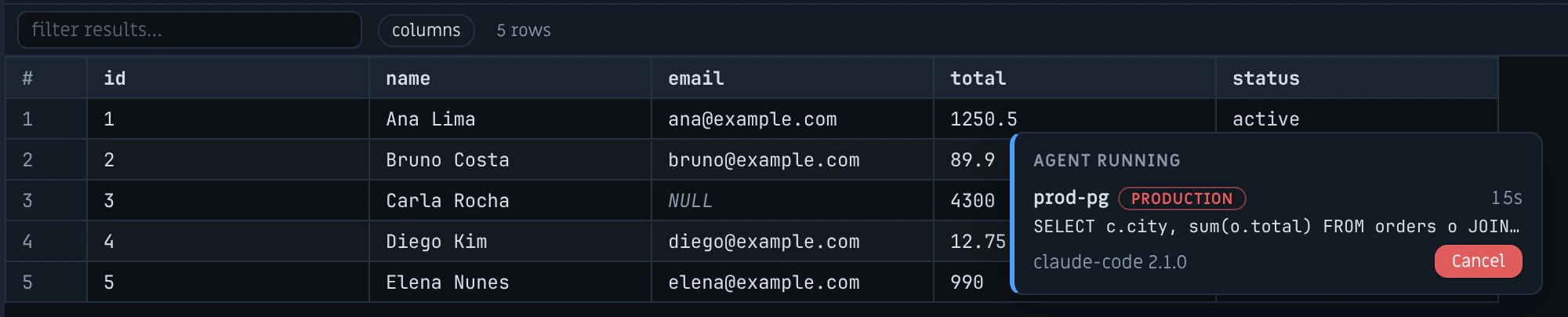
See what it’s running — and stop it.
While an agent query runs, a live panel shows the connection, the SQL and a timer. One click cancels it on the server.
Every call, audited.
A log of everything the agents did: what they ran, how long it took, what was blocked — with the SQL highlighted. Stored only on your computer.
Connect your agents in one click.
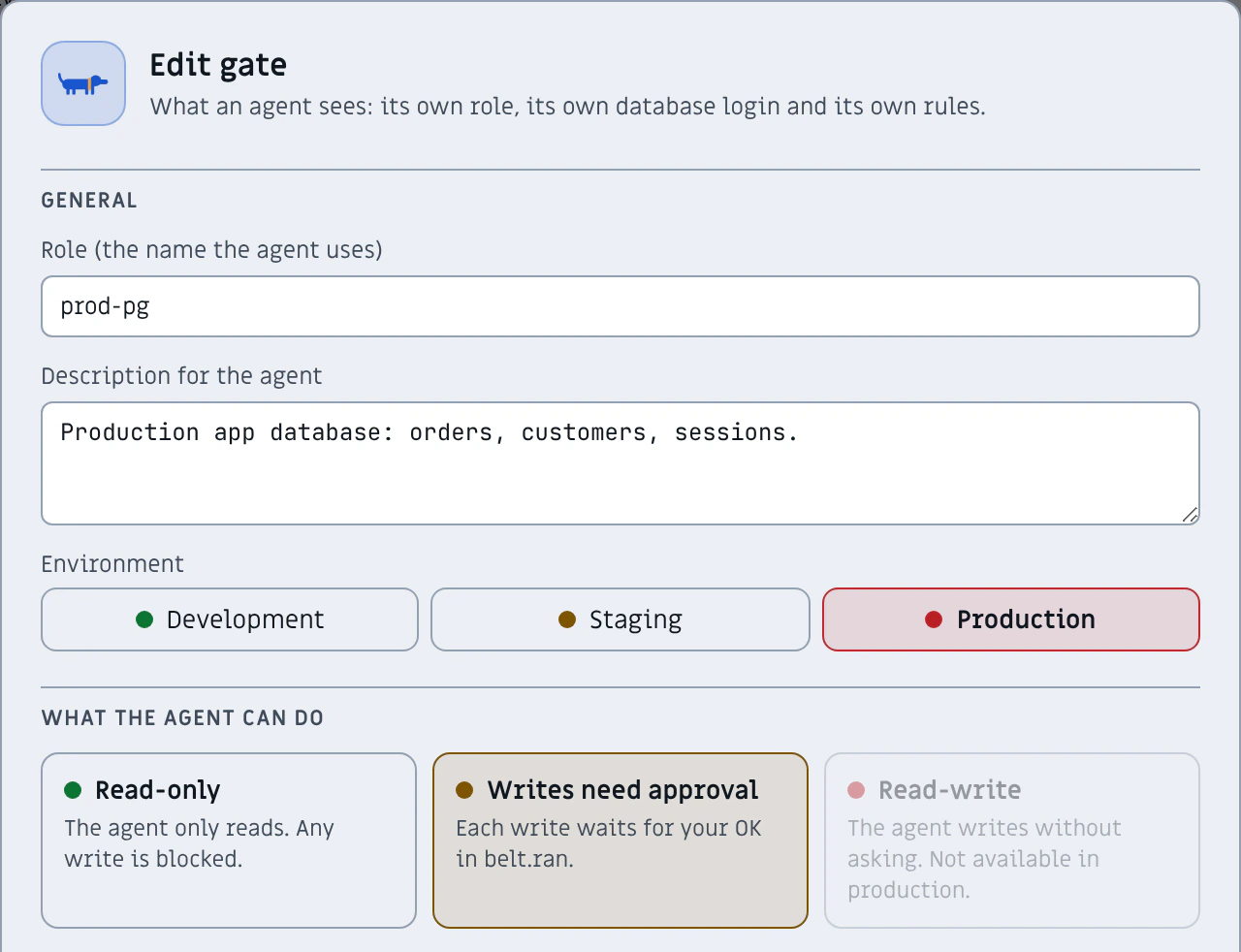
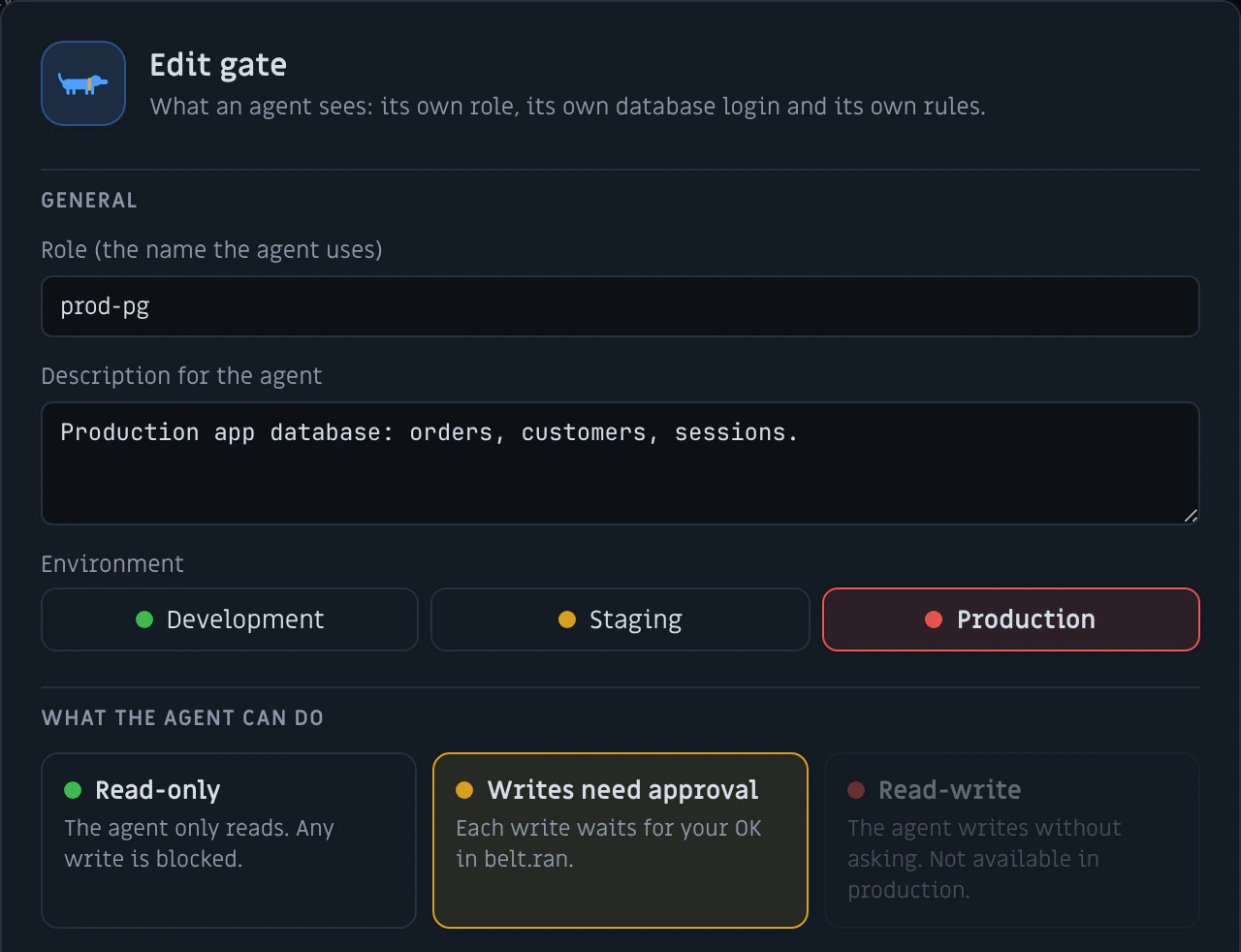
Claude Code, Claude Desktop, Cursor and Codex: connect or disconnect with one click. Then create a Gate from a connection — start from a template (Analyst, Support, Developer), pick the databases, the write policy, the time limit and what to mask — and check “What the agent sees” before you share it.
Why not a plain MCP server?
There are good open-source MCP servers for Postgres, MySQL and more. They are built to expose a database to an agent; belt.ran is built to also protect it from one.
| Topic | A typical database MCP server | belt.ran |
|---|---|---|
| Credentials | Connection string in an argument, environment variable or config file | Password stays in the OS keychain; the agent never sees it |
| Production | Read-only by convention or by filtering the SQL text | Read-only enforced by the database session on Postgres, MySQL, SQLite and ClickHouse |
| Writes | Allowed or blocked — nothing in between | Paused until you approve the exact SQL, with a preview of the rows it changes |
| Sensitive data | Returned as-is | Masked by column and by value: emails, SSNs, cards, JWTs, API keys |
| Prompt injection in data | Rows go to the model as they are | Invisible characters stripped, suspicious cells flagged |
| Audit | Whatever the agent’s client logs | Every call logged and searchable, on your computer |
A real database client underneath.
Explorer for 11 engines, an SQL editor with IntelliSense and a results grid that streams millions of rows — the client you would use every day, whether or not an agent is involved.
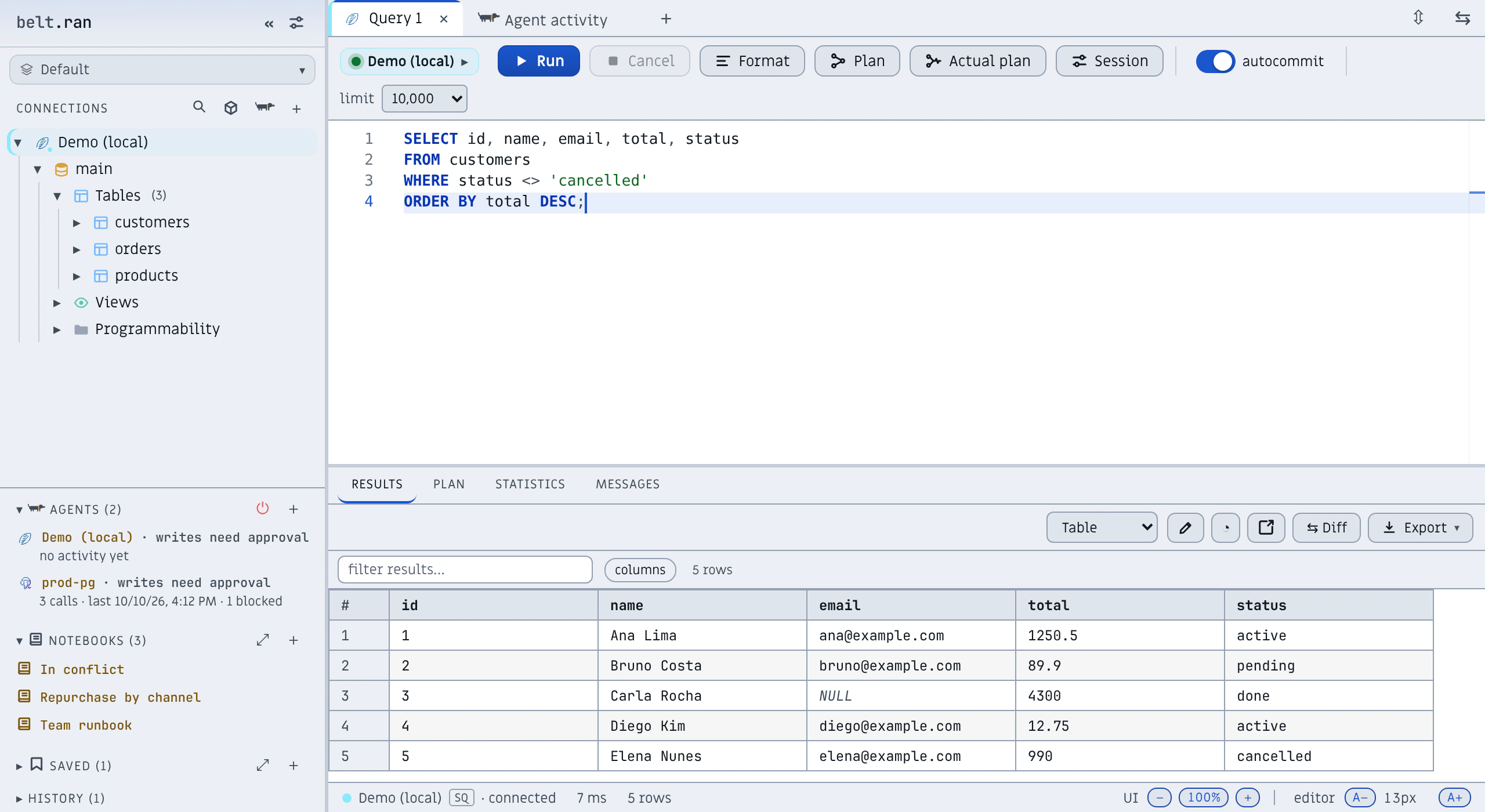
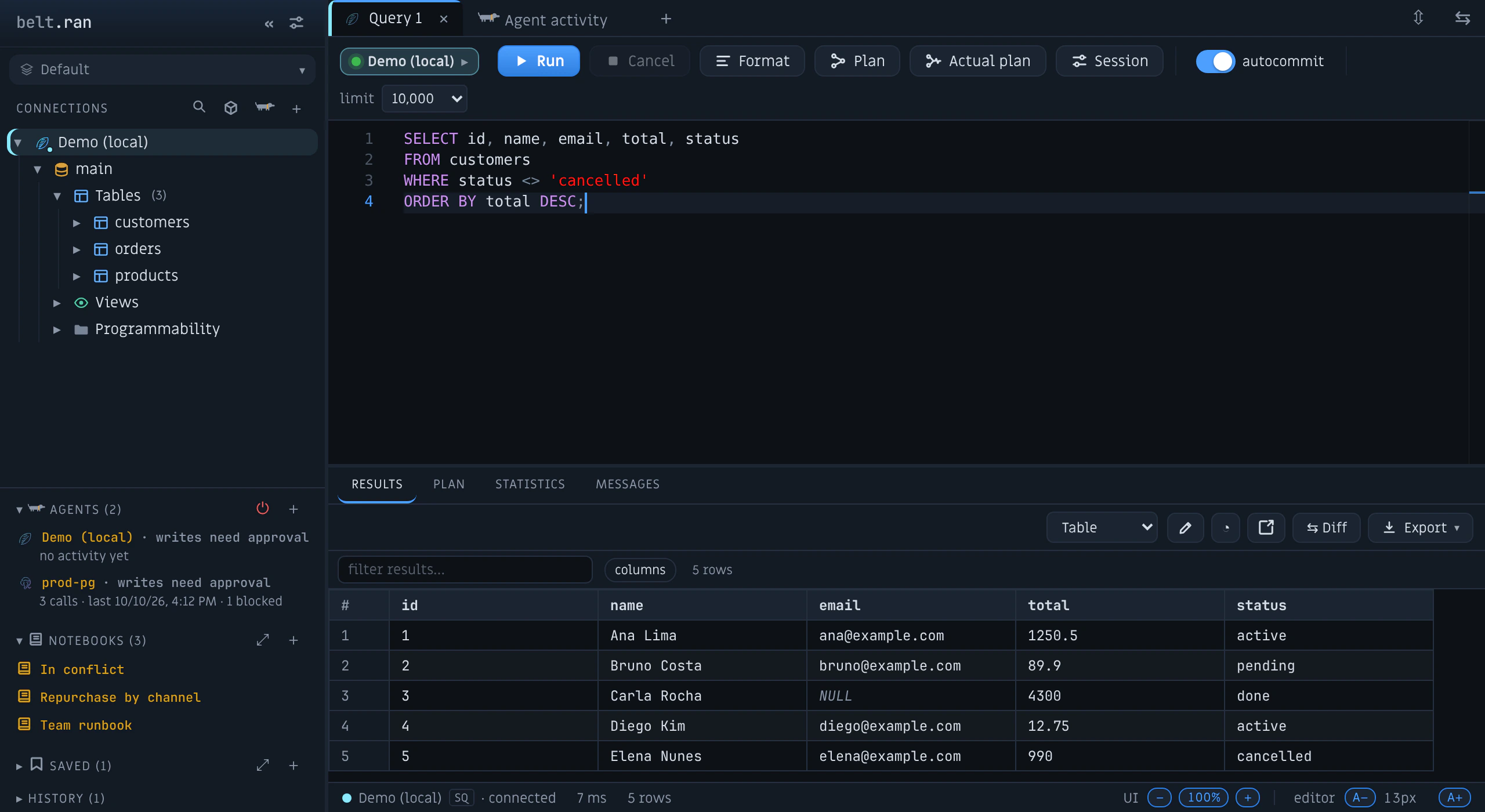
A connection dedicated to each tab
No queue on a shared connection. Each tab runs on its own: queries in parallel, real cancellation (out-of-band, straight to the server — not queued) and automatic reconnection when the session drops. Cancel means cancel.
Four flagship engines, seven more supported
PostgreSQL, MySQL, SQL Server and ClickHouse (solid chips) are where we focus polish and parity. SQLite, Doris, MongoDB, Kafka, Redis, DynamoDB and MCP (dashed chips) are supported: connecting, browsing, querying and cancelling work, with lighter tooling. Each engine’s native organization — schemas, databases, topics, keys — in one navigation:
Rust core: 38 MB installed; a 10–15 MB download on macOS and Windows (on Linux, the .deb is about 17 MB and the AppImage about 90 MB). No JVM, no Electron.
Server-side cursor, infinite scroll and real backpressure.
A graph from root to leaves: edges as thick as the rows, hot operators in color, full scans and bad estimates flagged (PostgreSQL, MySQL, SQL Server and ClickHouse).
Notion + Git + Jupyter style docs, with versions, params and backlinks.
Free during the beta
The individual client is free while belt.ran is in beta, and it is meant to stay that way: if paid plans arrive, they will cover team features (shared agent policies, audit export) — not what you use today.
belt.ran is proprietary software; the installers are public. It connects straight from your computer to your databases, and passwords live in your operating system’s keychain. Third-party components and their licenses are listed in the notices.
No telemetry. Besides the databases you connect to, belt.ran contacts GitHub when it starts (to check for updates) and, only if you open the MCP catalog, the official MCP registry. What an agent reads is processed by that agent’s own model provider — which is why read-only, approval and masking matter.